From your board to your first game.
Tell us what you play on – we'll show you the three steps: install, connect to heydarts.io, test game.
Free to play.
What do you have?
HeyDarts board · Linux
- Install the supervisor on the Pi or Linux PC
curl -fsSL https://heydarts.io/supervisor/install.sh | sudo shLinux with systemd (Raspberry Pi OS 64-bit, Debian, Ubuntu). Installs Docker if it is missing and shows a code at the end.
- Pair the device
Enter the code at heydarts.io/device and give the device a name. Then install the HeyDarts Board under “Devices and apps” – it's connected after that.
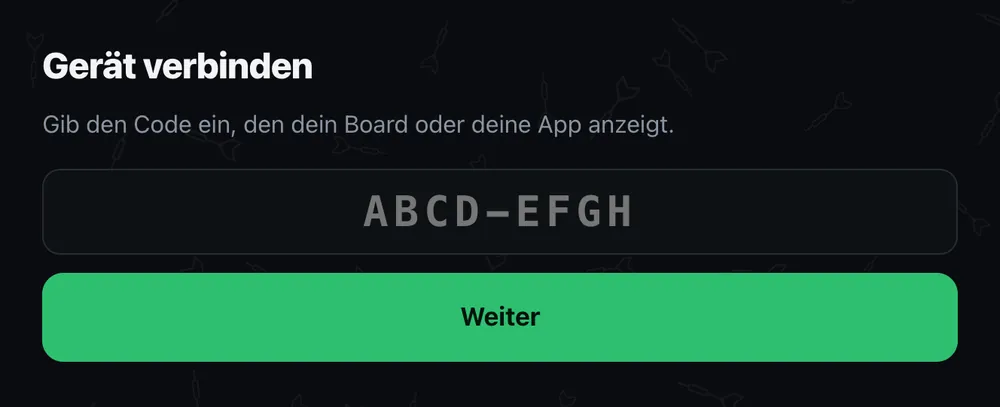
Confirm the code and give the device a name. - Switch the board on and play a test game
Switch the board on under “My boards”, start a game and throw three darts – they show up right away.
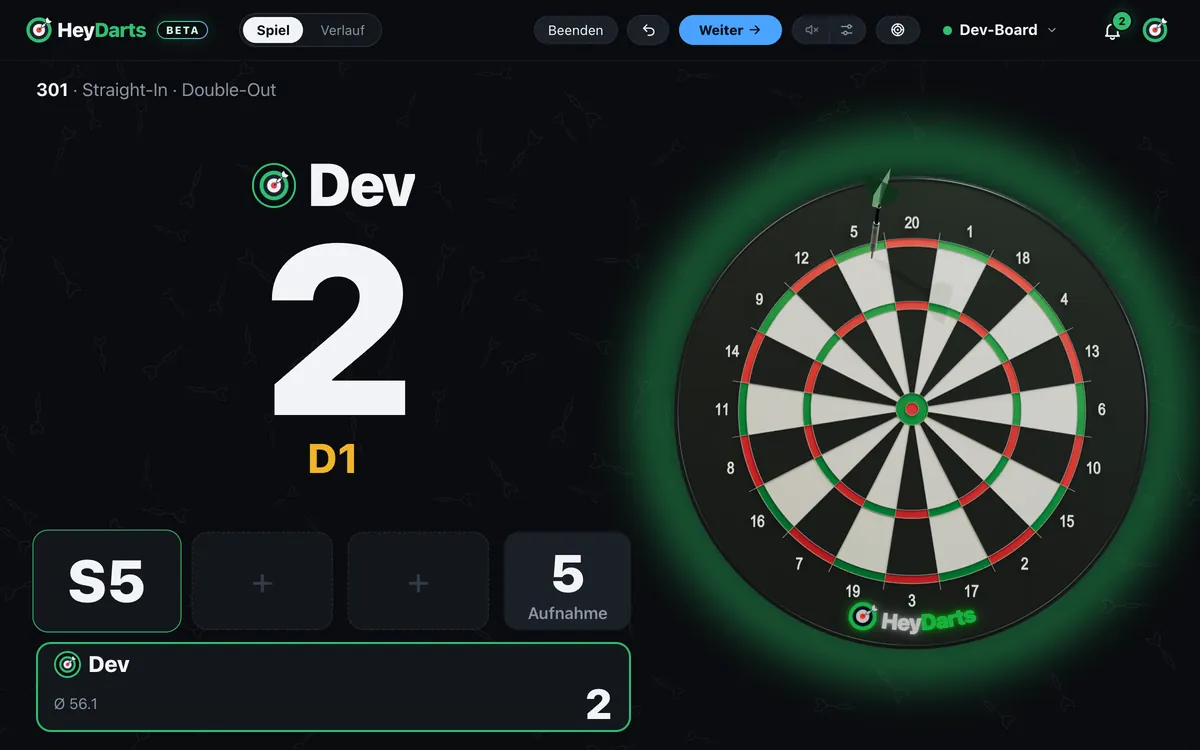
The test game: every dart is on the screen right away.
HeyDarts board · Windows
- Download and start the HeyDarts Supervisor for Windows
Windows 10 or 11 (64-bit). Installs just for you, without admin rights, and starts when you sign in (icon at the bottom right in the notification area).
If Windows warns “Windows protected your PC”: “More info” → “Run anyway”. The setup isn't signed yet.
- Pair the PC and install the board app
After the install, heydarts.io opens with the code – confirm it and give the PC a name. Then under “Devices and apps” install the HeyDarts Board first (your cameras), then for example the WLED integration.
Confirm the code and give the device a name. - Switch the board on and play a test game
Switch the board on under “My boards”, start a game and throw three darts – they show up right away.
The test game: every dart is on the screen right away.
Autodarts board
- Add the extension
For Chrome, Edge and Brave on a computer. The browser has to be in the same network as the Autodarts board.
Click the HeyDarts icon, “Connect with HeyDarts” and allow access to the home network. Then pick the Autodarts on heydarts.io (settings → “This proxy's boards”) – several too.
Rather without a browser? The HeyDarts proxy as a program
Runs on the computer with Autodarts or another one on your home network – even with no browser open.
Windows macOS Linux · Raspberry Pi
macOS and Linux: one command in the terminal.
curl -fsSL https://heydarts.io/proxy/install.sh | sudo shAs a service on Windows, Docker and every other way: Guide
Pick one way only: the extension or the program – never both at once for the same board.
- Connect with HeyDarts
On the extension's or the proxy's page, tap “Mit HeyDarts verbinden” (connect with HeyDarts), sign in to heydarts.io and give the board a name.
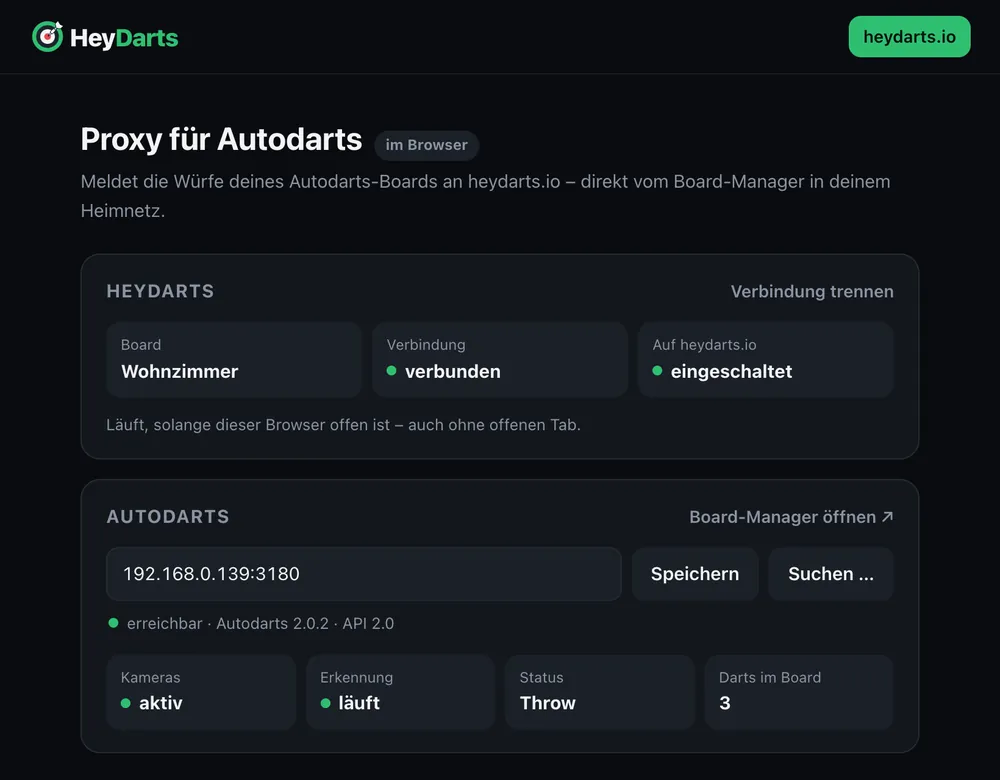
The extension's page: Autodarts reachable, board connected and switched on. - Switch the board on and play a test game
Switch the board on under “My boards”, start a game and throw three darts – they show up right away.
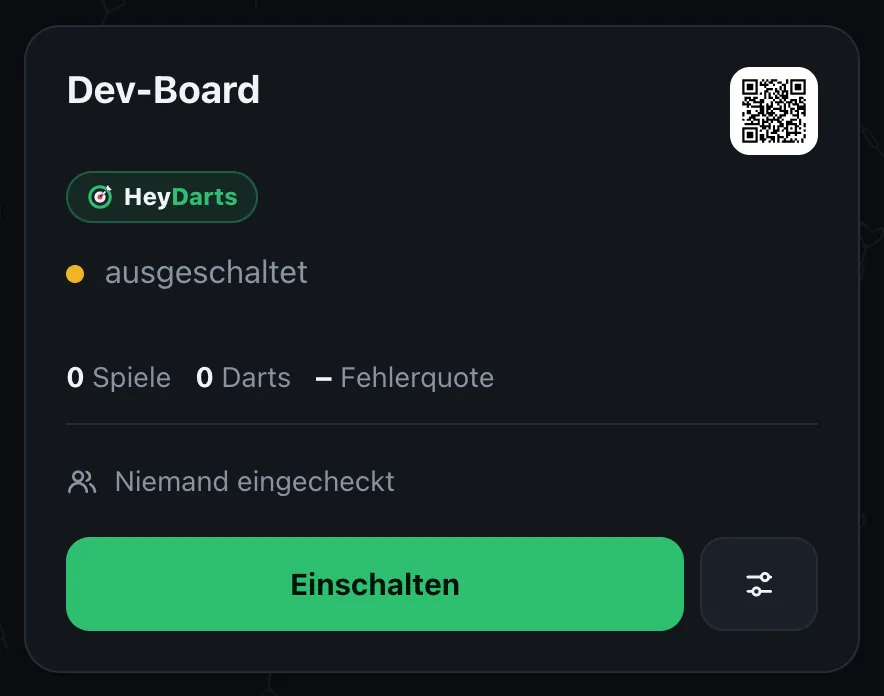
“My boards”: switch on, then “Play”.
Scolia Beta
The Scolia connection is in beta – we're looking for testers. Tell us how it goes.
- API access at Scolia
Scolia recognises the darts, HeyDarts receives them through Scolia's cloud – your Scolia account needs API access for that (a Scolia API plan or trial). Throws played here don't show up in the Scolia app.
You need your board's serial number and the API access token.
- Enter them on heydarts.io
“Connect a board” → “Scolia board”: enter a name, the serial number and the token. The token is stored encrypted and never shown again.
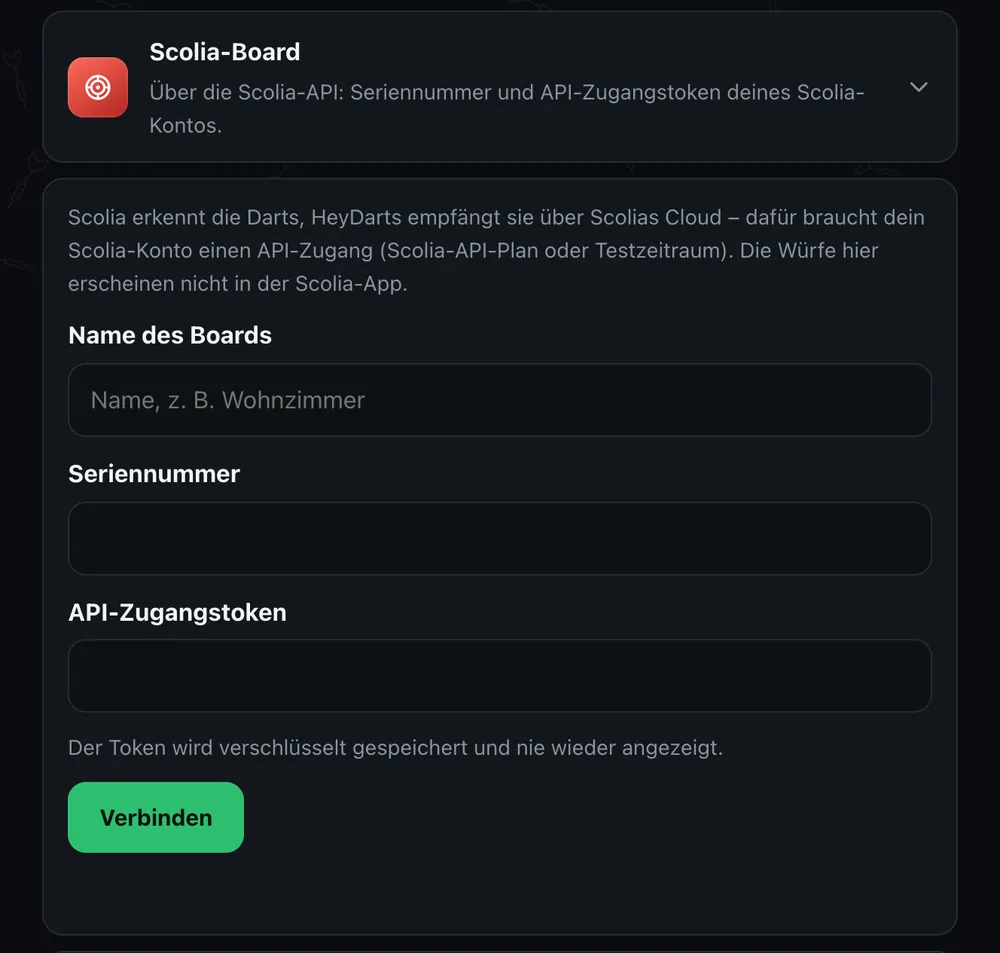
“Connect a board” with the Scolia form. - Switch the board on and play a test game
Switch the board on under “My boards”, start a game and throw three darts – they show up right away.
No camera board
- Nothing to install
A phone, tablet or PC with a browser is all you need – at any steel dartboard.
- Sign in and play manually
Manual: click or tap your darts in – on a PC, tablet or phone, or everyone on their own phone.
- Tap in the darts
Tap each dart on the board. Other players join by QR code – online too, against friends at their own board.
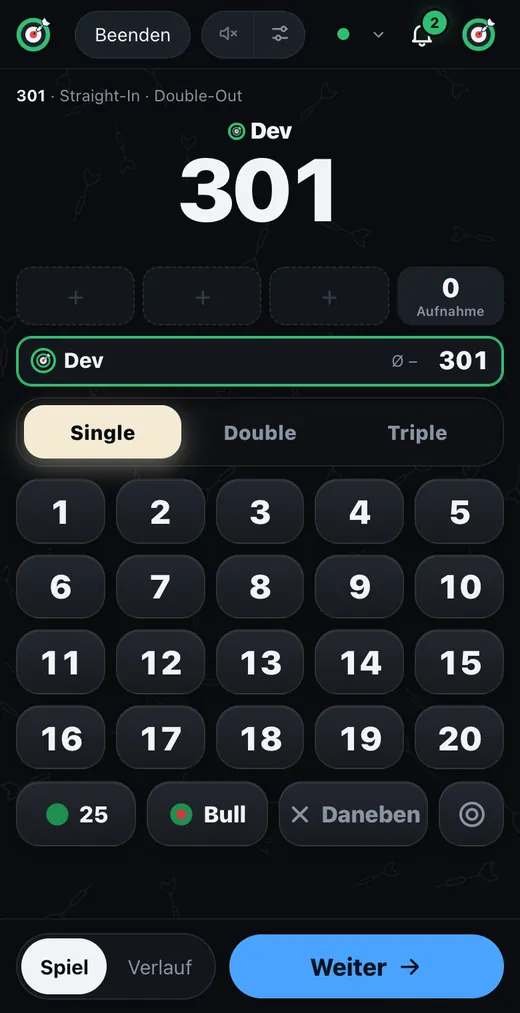
Entering darts on a phone.
Not working?
- Only one way to connect. Never run the extension and the proxy program at the same time for the same board. Pick one, remove the other – and delete duplicate boards under “My boards”.
- Does Autodarts itself recognise? No darts although the board is switched on: Autodarts itself may not recognise anything – check cameras and calibration in the Autodarts board manager first.
- Board switched on? The board has to be switched on under “My boards” on heydarts.io. Switched off it doesn't count – with the proxy, Autodarts' recognition rests too.
- Windows warns during setup. “Windows protected your PC”: the setup isn't signed yet. “More info” → “Run anyway”.
- Board not found? The browser or the program must be in the same network as the board. Otherwise enter the address by hand in the proxy's settings on heydarts.io: the IP of the Autodarts computer with port 3180.
- Still not? Write to us – we're happy to help: support@heydarts.io · on the HeyDarts Discord
HeyDarts is not a product of Autodarts and not affiliated with Autodarts. Autodarts is a trademark of its owner. Docs · Privacy